


.png)
Two things tend to slow growing pool service businesses down: not having quick access to money when they need it, and losing time turning what a tech sees in the field into something the office can actually act on and bill for. August's updates chip away at both, along with a handful of smaller improvements that make the day-to-day a little easier.
Stripe financing, built right into where you already work
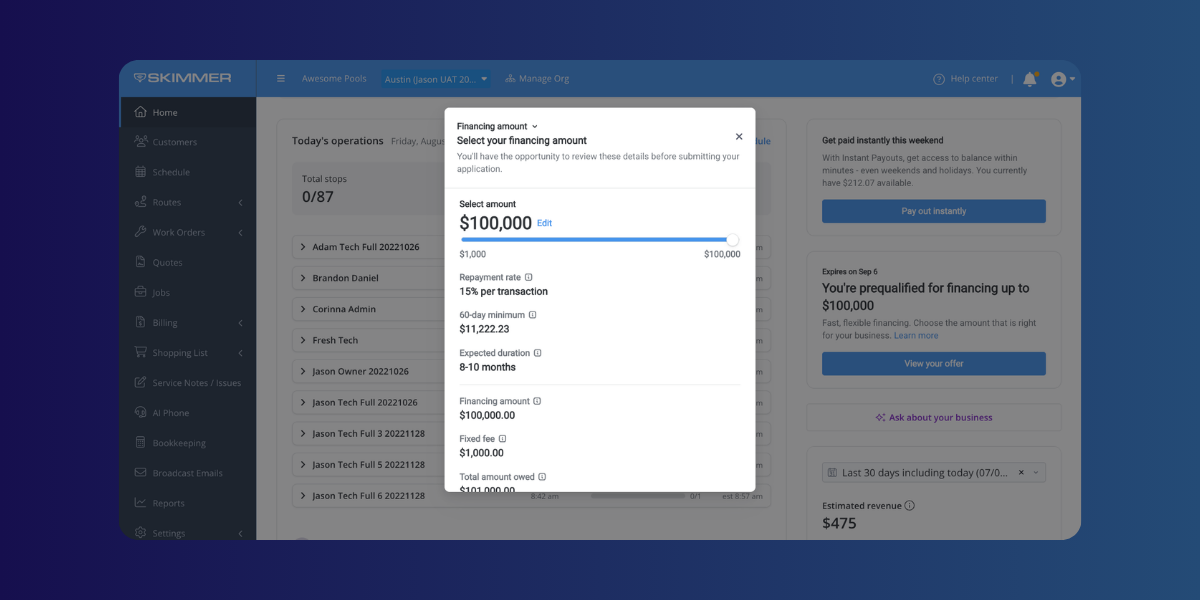
Most pool service businesses eventually need capital, whether that's for a new truck, extra payroll during peak season, or just smoothing out a slow month. Until now, that meant applying somewhere outside Skimmer and hoping the terms made sense. Eligible owners can now view and act on Stripe Capital financing offers directly inside Skimmer. A tile on your Home page introduces available offers, and a dedicated Capital page lets you review the details before deciding whether to apply. If you do take a loan, repayments show up automatically in your Payouts report, so there's no separate system to track.
→ Learn more
Turning field reports into billable work, automatically
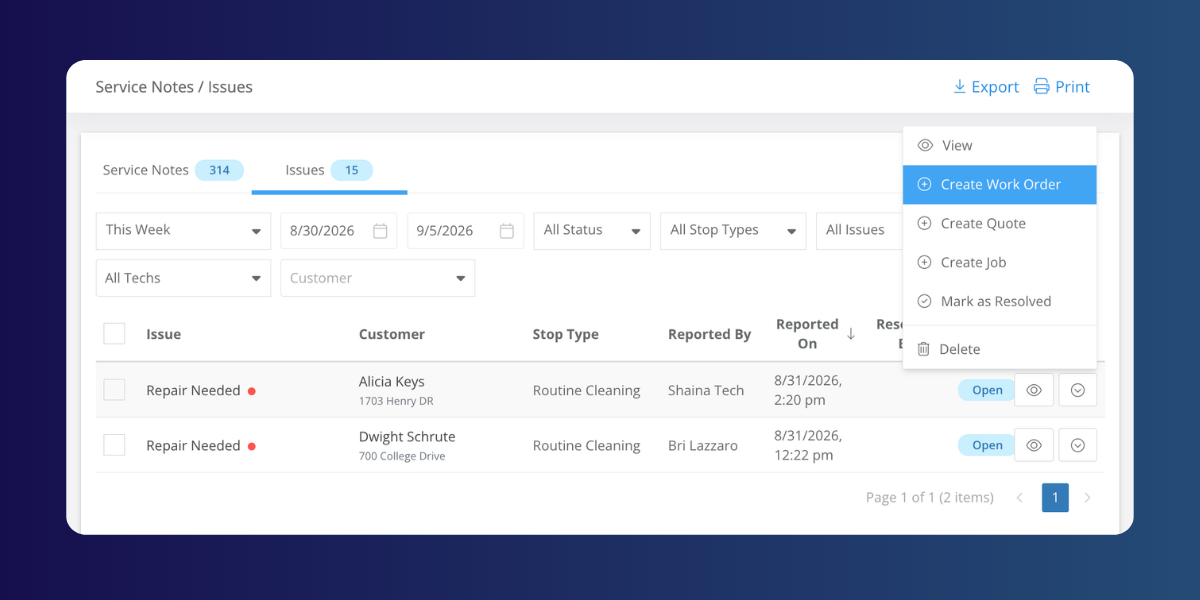
A tech spots a broken pump, or flags a service issue, and now what? Too often that observation lives in a service note that someone in the office has to notice, interpret, and manually turn into a work order or quote. Now, pros can create work orders, quotes, and jobs directly from issues, service notes, and office alerts, with customer and location details carrying over automatically. It's a small change that removes a surprising amount of manual work from a typical office day, and it's joined by two related updates: alert emails now include the photos a tech attached, and the customer status change alert now fires no matter whether the change happened on web or mobile.
Equipment management
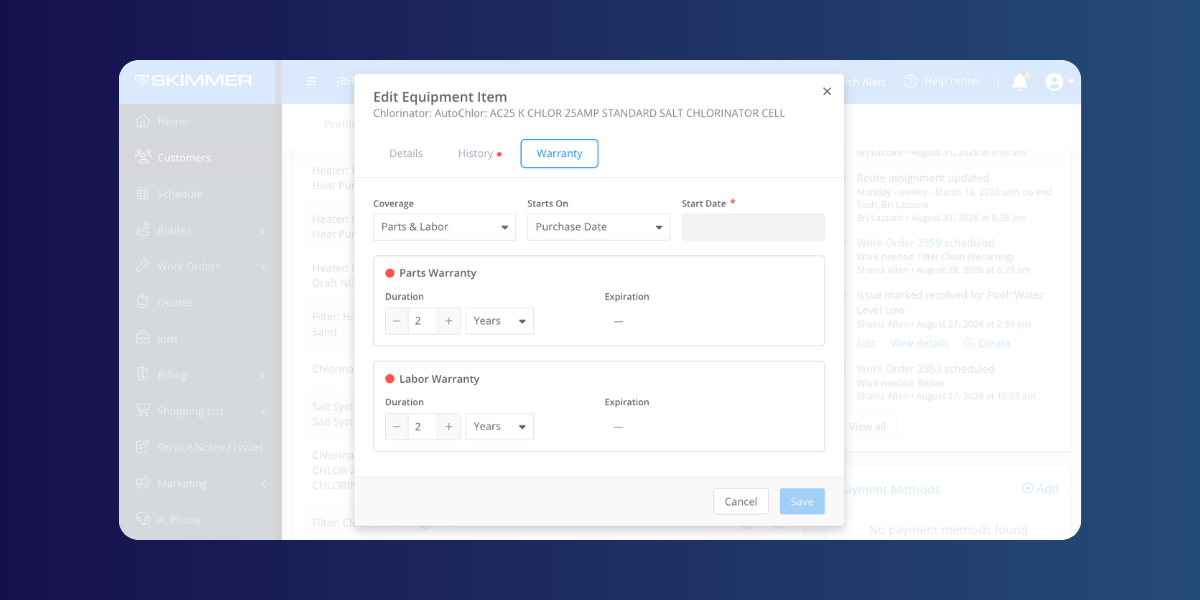
Equipment management is now generally available across web and mobile, which means pros can track, update, and maintain equipment records wherever they're working, with warranty details calculating automatically and photos syncing everywhere.
A handful of smaller improvements
August also brought a batch of quieter changes worth knowing about.
- Heritage ordering got easier too: a new reorder button pulls up a past purchase with everything filled in, so reordering supplies takes one click instead of a rebuild from scratch. When something is missing, like a customer address, Skimmer now says exactly what's wrong instead of showing a generic error. Lastly, relating an order to a quote is now its own step, look for the “Relate to quote” link, and completed orders finally sort correctly under the Past tab
- AI Insights got sharper at answering readings-related questions.
- The AI phone agent can update a gate code mid-call.
- Several reports, including Chemical Dosages, Profit, and Labor, got cleaner formats and new columns.
- And Skimmer Home now shows a countdown for trial accounts
None of these updates are flashy on their own, but together they point toward the same goal: less time spent on busywork, and a clearer picture of where your business stands financially. We'll keep chipping away at both next month.
As always, make sure your team is running the latest version of the Skimmer mobile app, iOS or Android. This month, it's not optional: Skimmer now requires version 12.10 or later to sign in.
Make sure your Skimmer mobile app is up to date to get the latest performance improvements.
[Update for iOS ] | [Update for Android ]
We’ll be back soon with more updates designed to make everyday work smoother, faster, and easier for our pool pros.
Interested in trying Skimmer? Get started on our Scaling Up plan– free for 30 days.


