


.png)
July's updates focus on cutting the busywork out of running a pool service business: ordering supplies, answering business questions, and keeping on top of alerts and issues. Rather than adding more places to check, this month's work brings more of that into Skimmer itself, so pros can spend less time switching tools and more time on the job.
Ordering supplies without leaving Skimmer
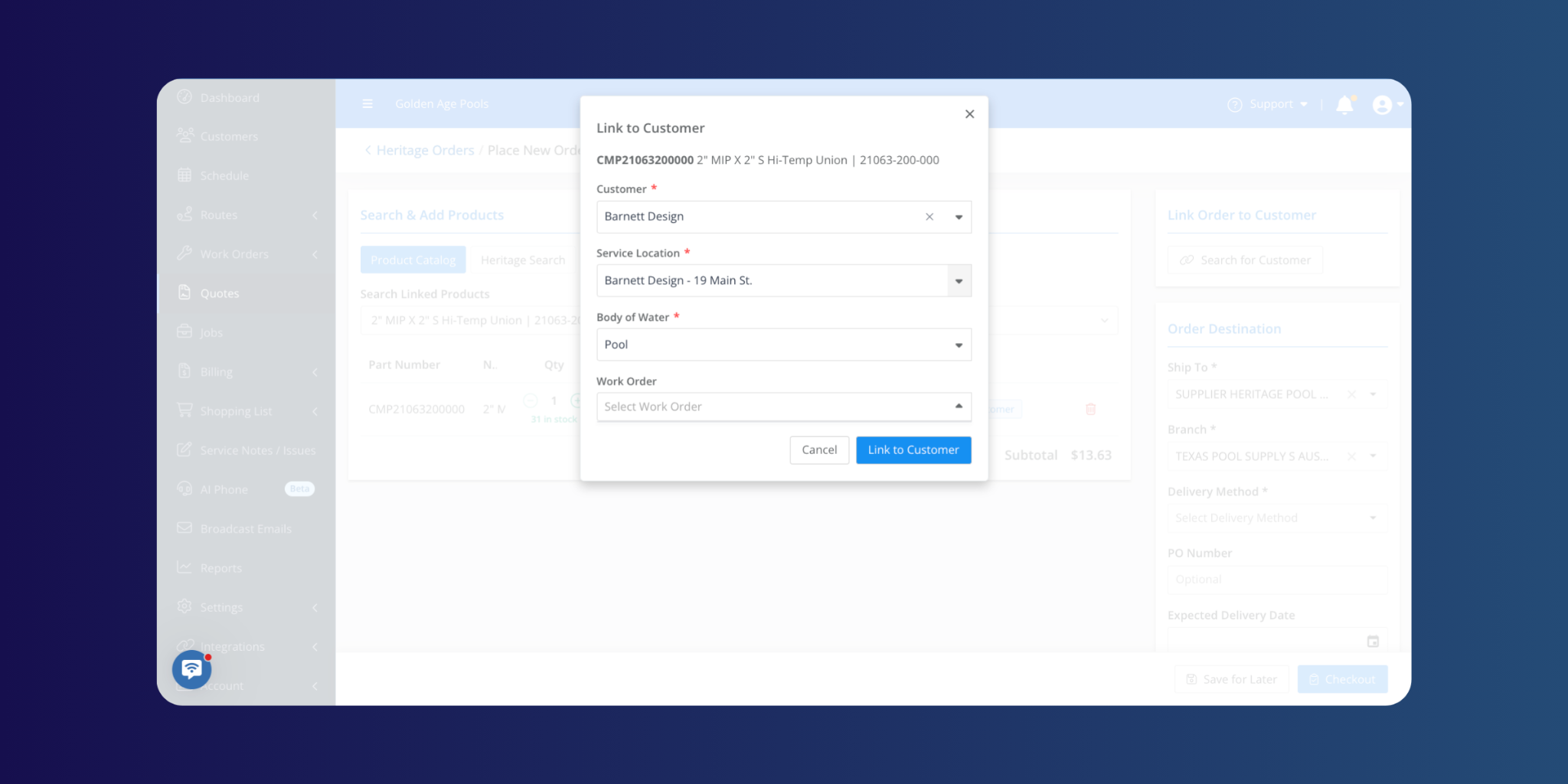
Placing a supply order has always meant stepping outside Skimmer, into a separate system disconnected from the job it's for. We’ve changed that: pros can order directly from Heritage inside Skimmer, with orders tied back to the customer, quote, or work order they belong to. It's a small shift, but it closes a gap between the tools pros use to run their business and the tools they use to buy the parts that keep it running.
Turning a quote into a work order, without retyping it
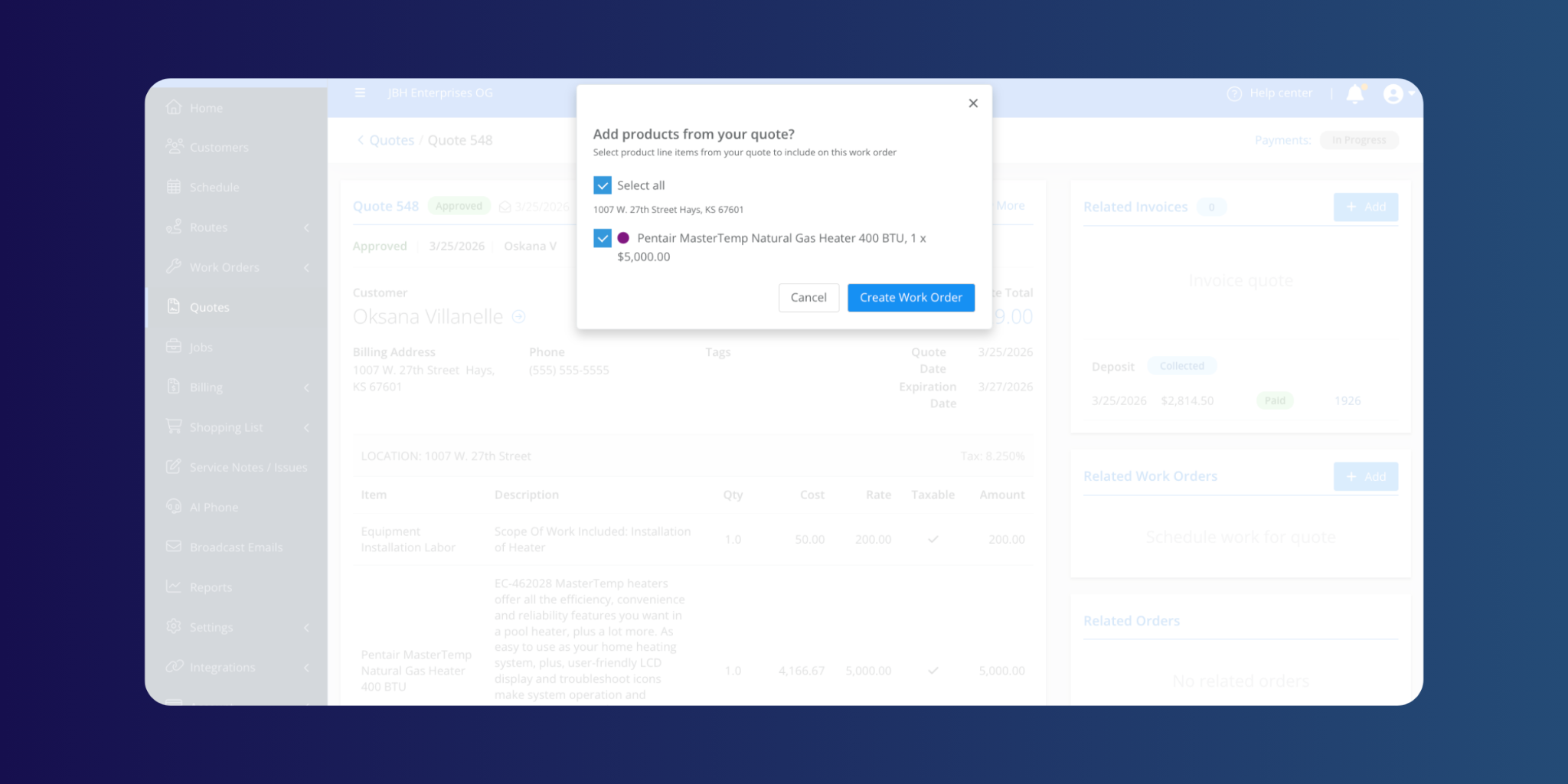
There's a familiar drop-off between quoting a job and starting it: someone has to retype everything from the quote onto the work order by hand. Quote and job item handling closes that gap, letting pros carry line items straight from a quote into the job itself. It's a small workflow fix aimed at a real source of friction, and one more step toward a system that follows the work instead of making pros re-enter it at every stage.
(Available on Scaling Up and Skimmer for Enterprise plans.)
Straight answers about your business
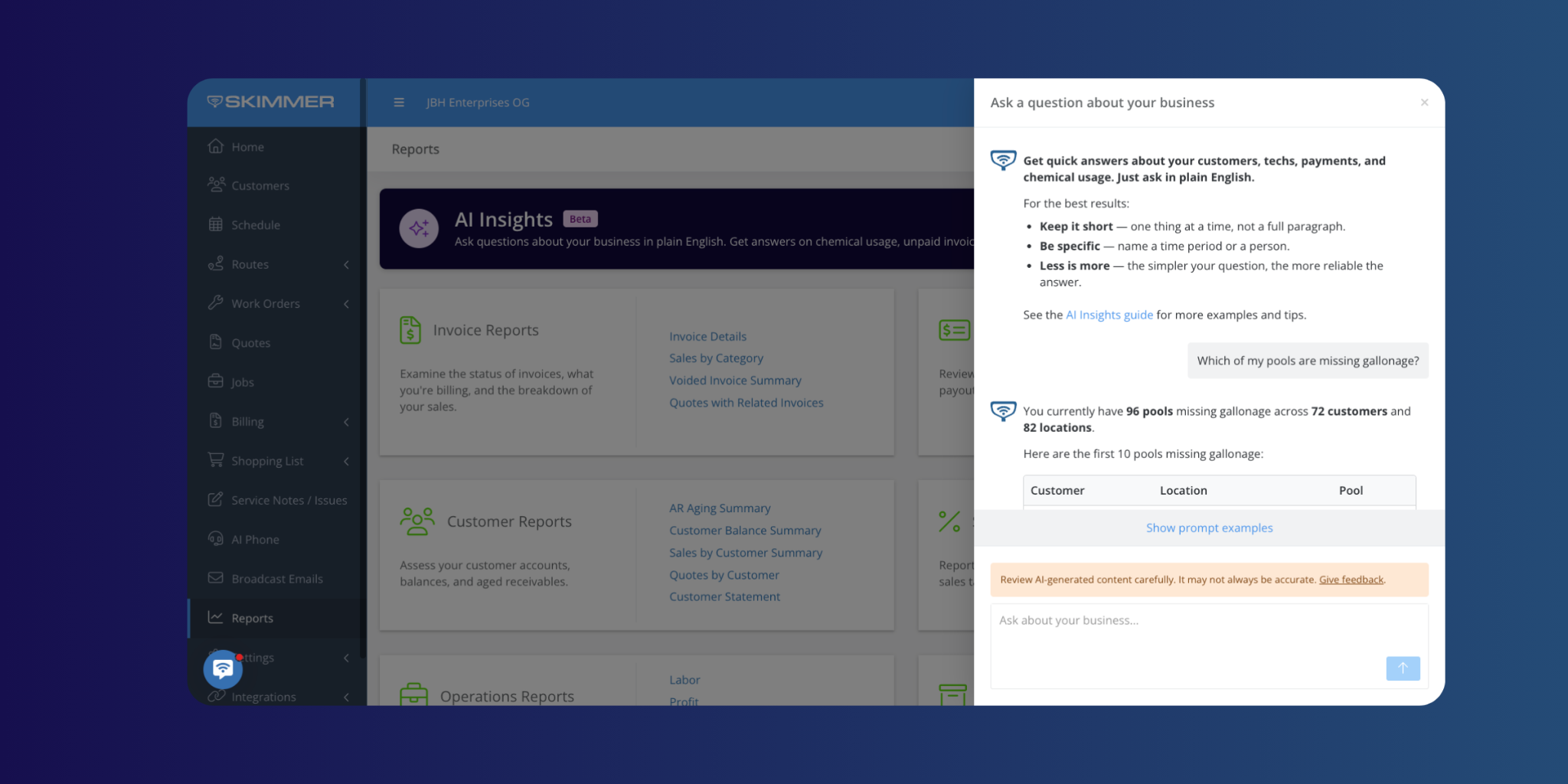
AI Insights is now available to every pro and office team. It's built to answer the questions pros already ask most, like what did we make on this job, how many stops got skipped this week and why, or what did we spend on chemicals, in plain language, without building a custom report first. We also tightened the accuracy behind profit and scheduled-work answers, so the same question gets the same reliable answer every time.
A clearer view of the business, and less noise to sort through
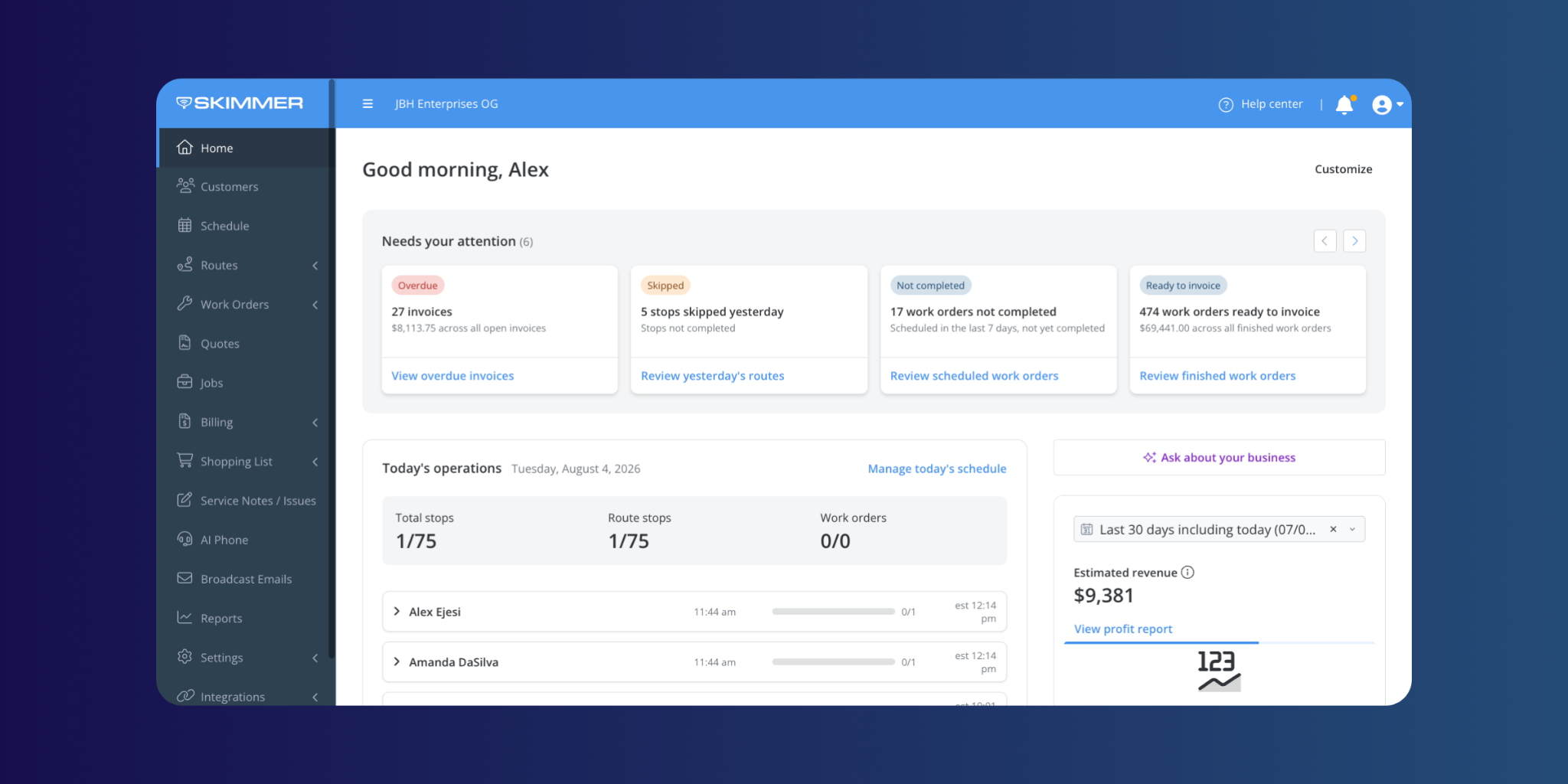
The Dashboard page has been rebuilt as Skimmer Home, a single place to see what needs attention today, how routes are progressing, and how the business is doing overall, with a getting started checklist for new accounts.
Mobile 12.14: Built for the phone in your pocket
Mobile release 12.14 rounded out the month with updates built for pros who spend their day out of a phone or tablet, not a desk.
- Logging in is now as fast as a fingerprint or Face ID tap.
- Quotes can carry PDF attachments, viewable right on the device, and job photos scroll in a swipeable carousel instead of a tap-by-tap gallery.
- Video uploads on Android are faster, duplicate service notes and issues no longer get lost from view, and the Route Dashboard's "on my way" button is bigger and easier to hit one-handed in the field.
A few more updates
A handful of updates make Skimmer easier to connect to the tools pros already use:
- QuickBooks Online data now pulls in faster, and companies without payout sync configured aren't blocked from choosing a deposit account.
- Clearing out service notes and issues is faster too: select several at once and resolve or reopen them in one action, filter alerts by type, and see the alerts panel update in real time as statuses change.
- For teams that rely on Skimmer's API or automated exports, invoice and export data now carry more detail.
July's updates are part of a broader push to make Skimmer feel less like a set of separate tools and more like one system that keeps pace with a growing pool business. More to come next month.
Make sure your Skimmer mobile app is up to date to get the latest performance improvements.
[Update for iOS ] | [Update for Android ]
We’ll be back soon with more updates designed to make everyday work smoother, faster, and easier for our pool pros.
Interested in trying Skimmer? Get started on our Scaling Up plan– free for 30 days.


