



Skimmer’s latest webinar was a look at what improved in 2025 and what’s being built next to help pool service businesses grow in 2026. Niki Acosta hosted, joined by Andrew Wilcox (Skimmer VP of Product) and Bryan Hjelm (Skimmer VP of Corporate Development & Partnerships), with a clear theme throughout: ship new features and enhancements faster, make the day-to-day smoother for pool pros, and connect Skimmer to the other tools you rely on. Watch the replay.
Here are the key takeaways.
1) Skimmer scaled the team behind the product big time
Andrew shared that Skimmer’s R&D org grew from about 12 people earlier this year to nearly 40 people across product management, engineering, and design. The takeaway for customers: more focus, more capacity, and more features launching more consistently.
2) It’s not only product; support and customer teams are growing too
Niki emphasized that Skimmer’s investment goes beyond product development. Alongside the growth in engineering and design, Skimmer has also expanded its support, customer success, and account management teams. The goal is to shorten response times, improve issue resolution, and ensure customers can get real help when they need it—whether that’s a quick question from the office or a mobile issue while a tech is out in the field. The takeaway for customers is a more reliable support experience as Skimmer continues to grow.
3) Reliability got attention, plus a more transparent way to check status
Skimmer highlighted infrastructure investments aimed at uptime and stability (monitoring, bug reduction, platform quality). One practical outcome: a public status page (status.getskimmer.com) where incidents and updates are posted with details on what’s happening and resolution status.
4) The roadmap centers on the stuff that affects cash flow and operations
Andrew laid out the recurring customer-driven focus areas Skimmer is investing in:
- Invoicing & payments
- Reporting + exporting
- Customer engagement
- Jobs & repairs workflows
- APIs + integrations
- Admin alerts / real-time visibility
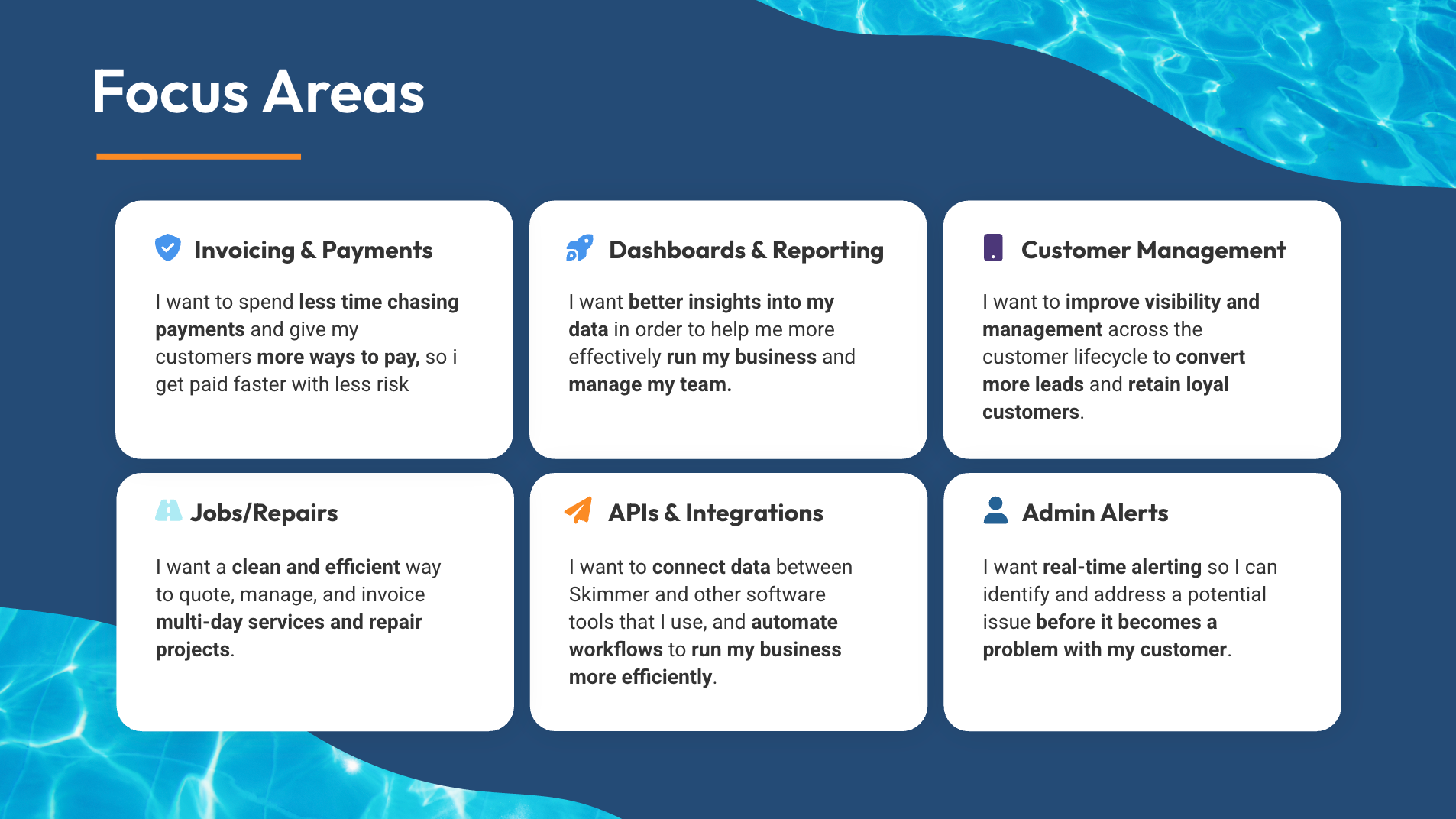
The point was simple: these are the lanes where Skimmer believes it can make the biggest difference in how efficiently you run the business.
5) Mobile got rebuilt—so it can keep up with modern devices
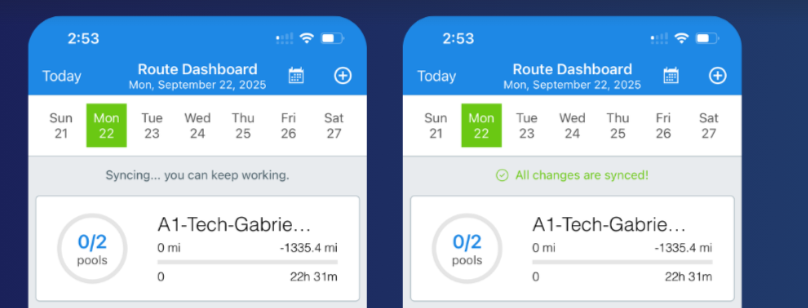
Niki acknowledged mobile had a “rocky” period earlier in the year due to an underlying platform reaching end-of-life, requiring a rebuild/re-architecture to keep up with modern devices. One tangible change: syncing behavior was made more visible (with messaging like “All changes saved are syncing, you can keep on working”) so techs aren’t left wondering whether the app is frozen.
6) Syncing is now designed to be clearer (and more frequent)
Skimmer also changed how syncing works to reduce gaps between “office reality” and “field reality.” Instead of appearing to freeze on a blue loading screen, the app now shows clear messaging indicating that changes are saved and syncing, and the team said they’re pushing more frequent syncs.
7) New Jobs feature is built for repairs, projects, and multi-day work—not only one-and-done stops
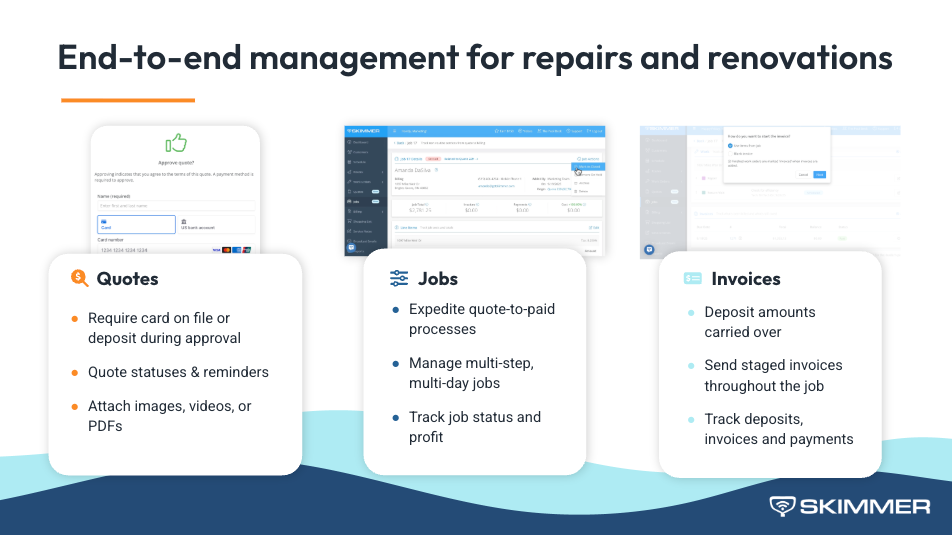
One of the year’s biggest launches was Jobs, built for complex work like renovations, pad resets, and green-to-cleans that span days. The workflow is meant to help you:
- Start with a quote
- Collect a deposit or card on file when the quote is approved
- Track quote status (and follow up on unapproved quotes)
- Attach photos, videos, and PDFs to help pool owners understand the problem
- Roll changing scope and parts into one clean invoice
- Use staged invoicing for projects done in phases
Translation: more professional quoting and billing for higher-value work, without losing track of what changed along the way.
8) Scheduling/dispatch is getting more visual and easier to adjust on the fly
Skimmer walked through scheduling and dispatch tools designed for quick changes: drag-and-drop route blocks, day/week views, tech filters, and a progress indicator showing where a tech is in their day. There’s also a section for scoped work that isn’t scheduled yet—so you can drag it straight onto the calendar.

9) Payments upgrades are focused on getting you paid faster (and with more options)
Several 2025 improvements hit the “cash flow” theme hard:
- Texting invoices (called out as a huge request, already helping customers collect faster)
- Credit card surcharging (where allowed)
- Next business day payouts (with reminders about cutoff times by time zone)
- Instant payouts (newly launched): access pending funds within minutes for a 1% fee—positioned as a way to cover payroll, equipment needs, or other time-sensitive expenses.
10) Overdue invoice automation can now suspend service—without the scheduling mess
Skimmer also announced an automation for customers who don’t pay: set criteria and Skimmer can automatically suspend the customer, optionally email them, and automatically skip the stop in the mobile route. Techs can still override and service the pool if needed—but the default protects you from working for free.
Bonus: Integrations are becoming a real strategy (APIs, Zapier, and distributor connectivity)
Bryan shared Skimmer’s push to become a more connected hub—so you can reduce manual work and avoid bouncing between tools.
Highlights:
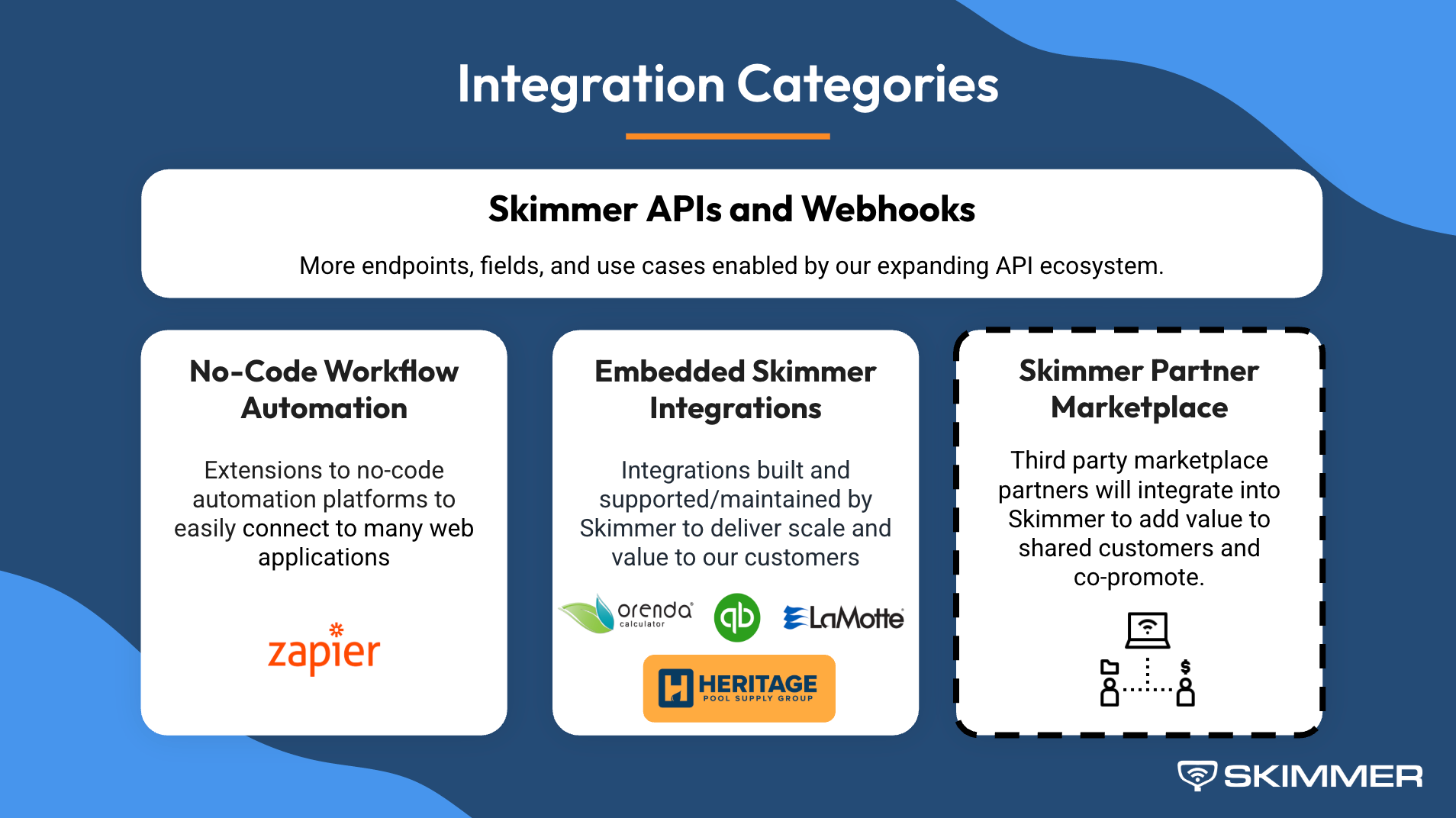
- Skimmer has public APIs and is actively expanding endpoints, including a newly launched invoice API, with work underway on work order creation, route scheduling from external systems, inventory-related data, and webhooks (automatic triggers, like when a stop is completed).
- Zapier is in beta as a low-code way to connect tools like CRMs (High Level was used as an example) so leads and customer data can flow into Skimmer without manual entry.
- A major distributor integration is in progress with Heritage Pool Plus:
- First step: product catalog sync (targeted for Q1)
- Next step (larger lift): online ordering inside Skimmer (discussed as later, with expectations set that it may not land in the first half of the year)
The 2026 “Sneak Peeks” (the ones designed to help you win more work)
To close, Niki shared several forward-looking features that tie directly to growth:
- Send quotes from mobile (including an option for techs to draft a quote that the office approves before it goes to the customer)
- Advanced user permissions (standard roles plus custom roles; dozens of permission toggles)
- More powerful reporting (customizable views and scheduled delivery, including condition-based reporting like flagging unprofitable pools)
- Lead acquisition + customer lifecycle management (a “CRM light” view of leads, active customers, former customers, and more)
- An AI phone agent (to capture leads and reduce after-hours interruptions; beta interest invited)
- Customer financing (pay-over-time options for homeowners, while the business gets paid upfront; early Q1 timing was referenced, with final limits depending on creditworthiness via soft check)
Skimmer’s message was consistent: more ways to help pool pros respond faster, quote faster, get paid faster, and run operations with fewer moving parts.
Interested in trying Skimmer? Get started on our Scaling Up plan– free for 30 days. Or, book a demo with one of our product experts for a more personalized walkthrough of the Skimmer's platform.
.jpg)


