


.png)
Skimmer Monthly Release Roundup: What we launched in May 2026
May's releases span both ends of the pool service business — the field, where techs need better tools to document and communicate what they find, and the back office, where billing accuracy and organization have long deserved more control. This month delivered on both.
Mobile 12.13: A significant step forward for field documentation
A big mobile update shipped in May, and the headlining feature is video. Techs can now record and attach up to two videos per quote directly from the Skimmer app. Equipment noise, leaks, water flow problems — these are things that photos can't fully capture, and until now there was no structured way to document them inside Skimmer. Videos are compressed on the device before uploading and queue automatically when a connection is available.
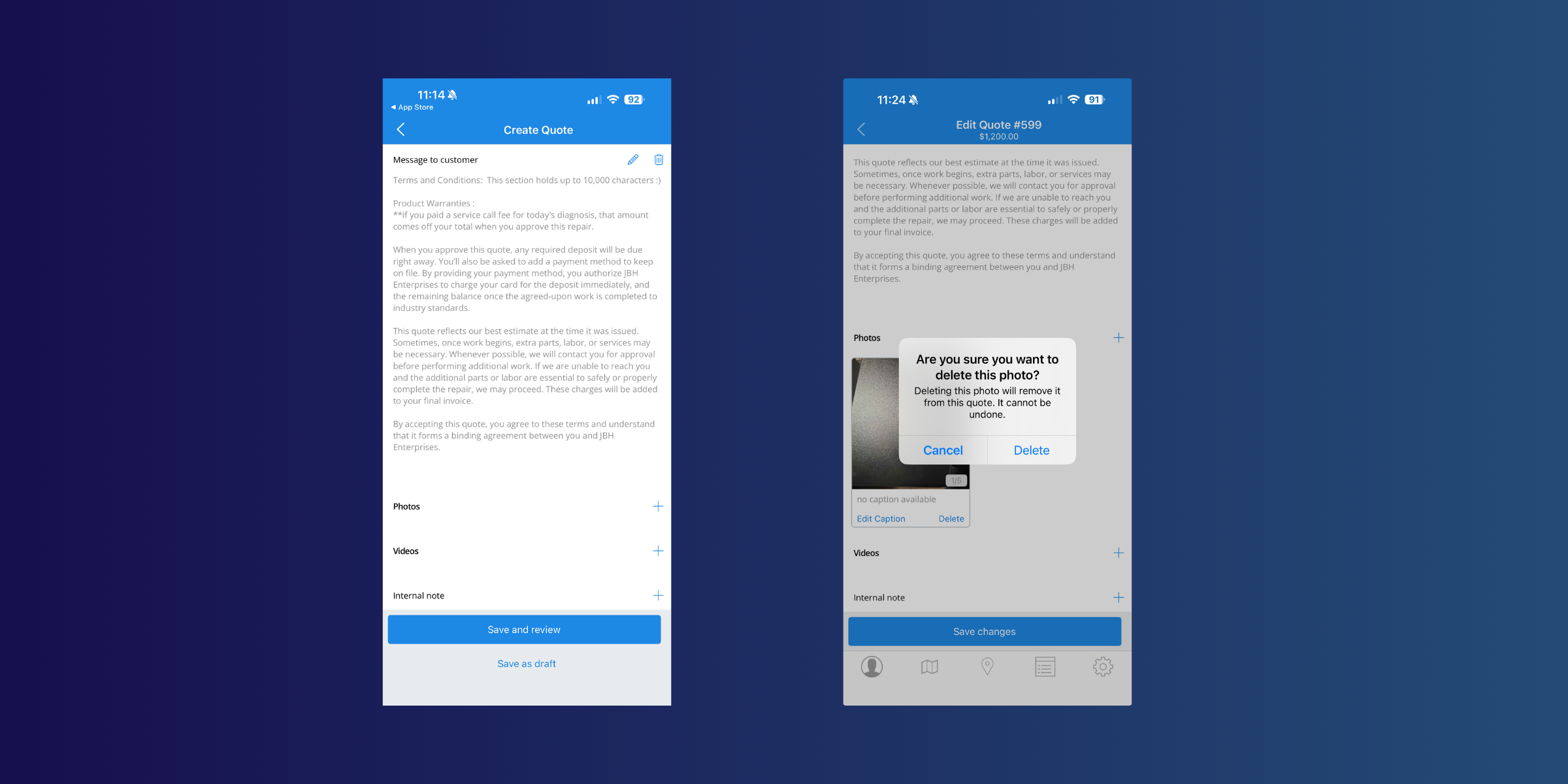
Note: recordings include audio, so techs should be mindful of what's captured on-site.
Beyond video, every photo taken through the mobile app now has a date and time stamp printed directly on the image at the moment it was taken — even if it was taken offline and synced later.
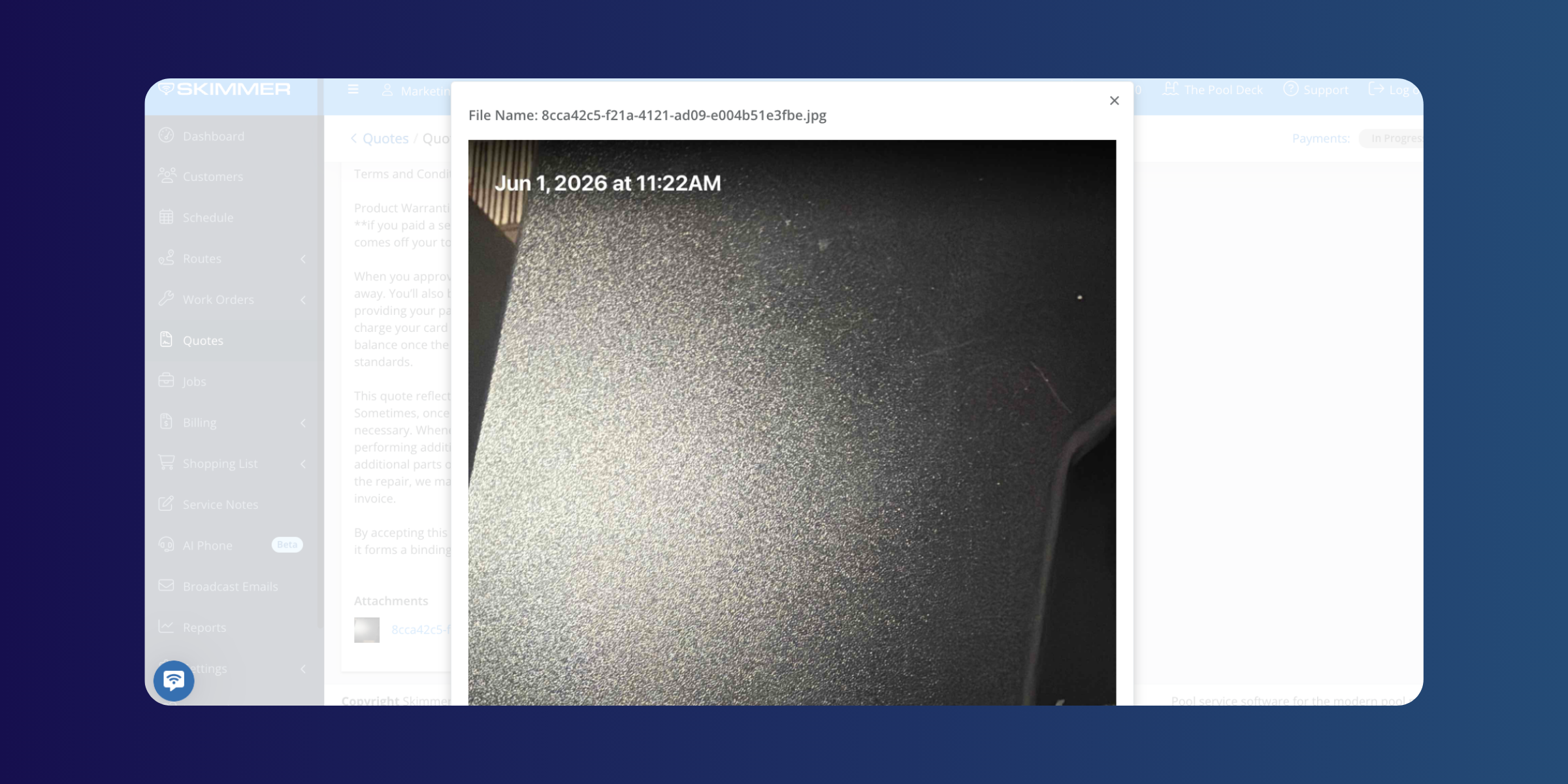
Media links from emails now open inline in the browser instead of downloading. And WebP, GIF, and BMP images added on the web now display correctly in the mobile app.
The product catalog on mobile also got a meaningful update. The Add Product and Edit Product screens now include cost, markup type and value, default price, manufacturer ID, and Heritage ID fields. Techs can mark products as discontinued directly from the app, and discontinued products are automatically hidden from all product selection screens to prevent accidental additions.
Bill customers on their own schedule
https://skimmer.wistia.com/s/fw4vbu1k6gmrs7c
For pool service businesses that issue recurring invoices, auto-invoicing by customer date is a significant operational improvement. Instead of billing all customers on a single company-wide date, you can now set an individual billing day for each customer. Skimmer generates the right invoices for the right customers on the right day — automatically. No manual runs, no workarounds for customers who need to be billed mid-month.
Organize revenue the way your business works
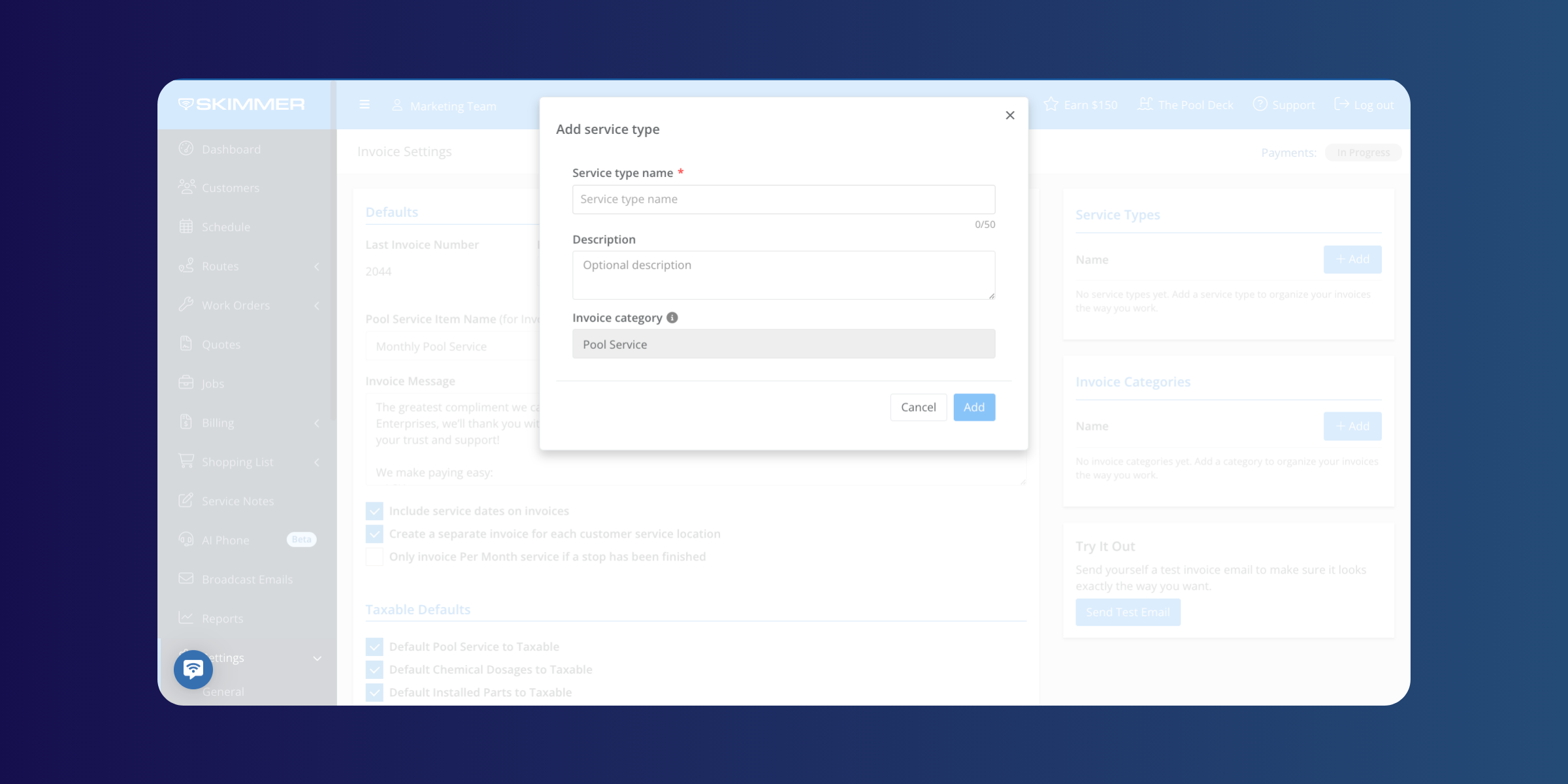
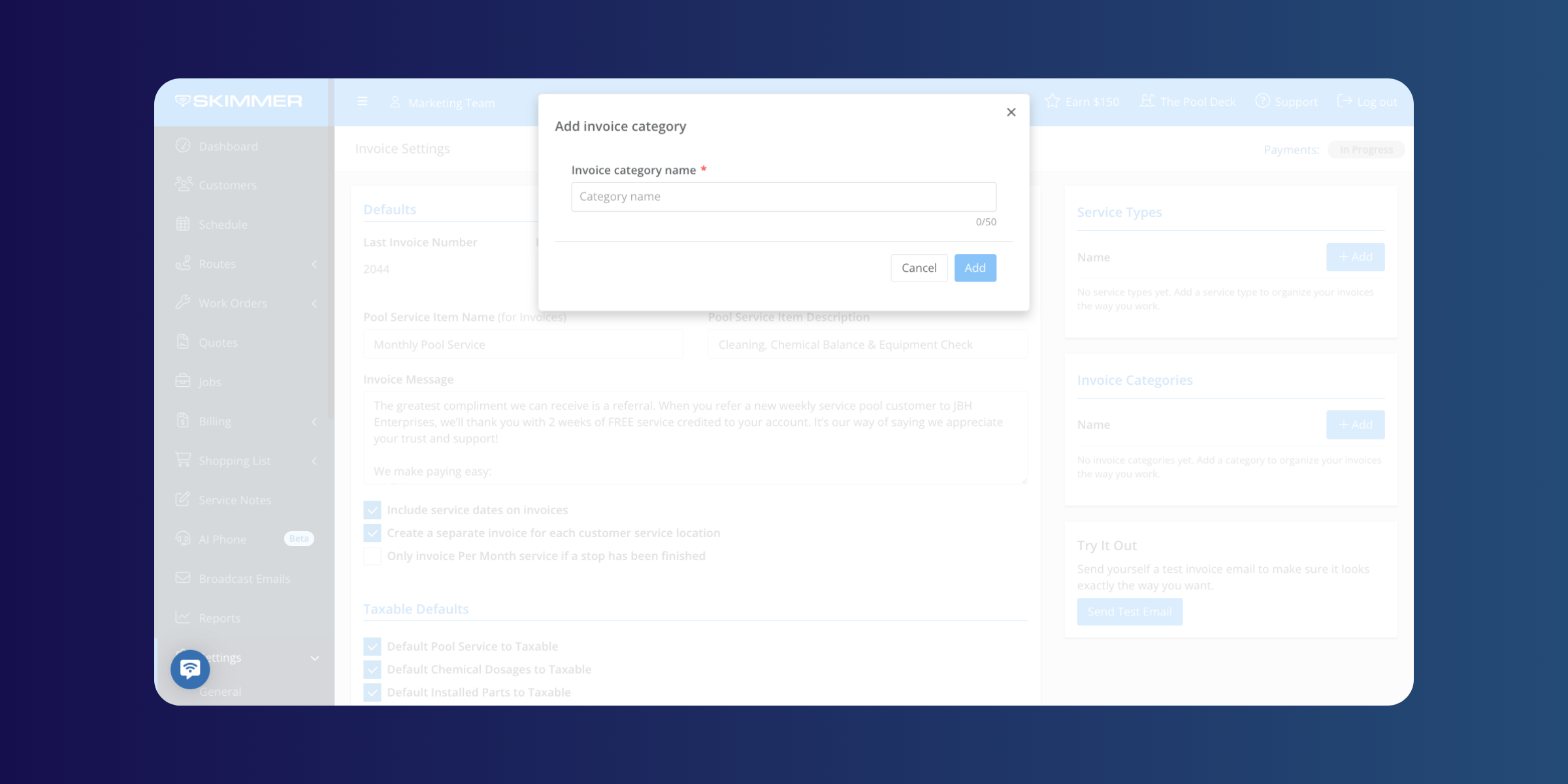
New invoice categories and pool service types give businesses finer control over how revenue is categorized, reported, and synced to QuickBooks Online. Set up the structure that matches your business — whether that's by service type, location, customer segment, or something else — and Skimmer routes revenue to the right place from there. For QBO-connected businesses, this means cleaner books and more accurate reporting without manual reclassification.
Smaller updates worth knowing about
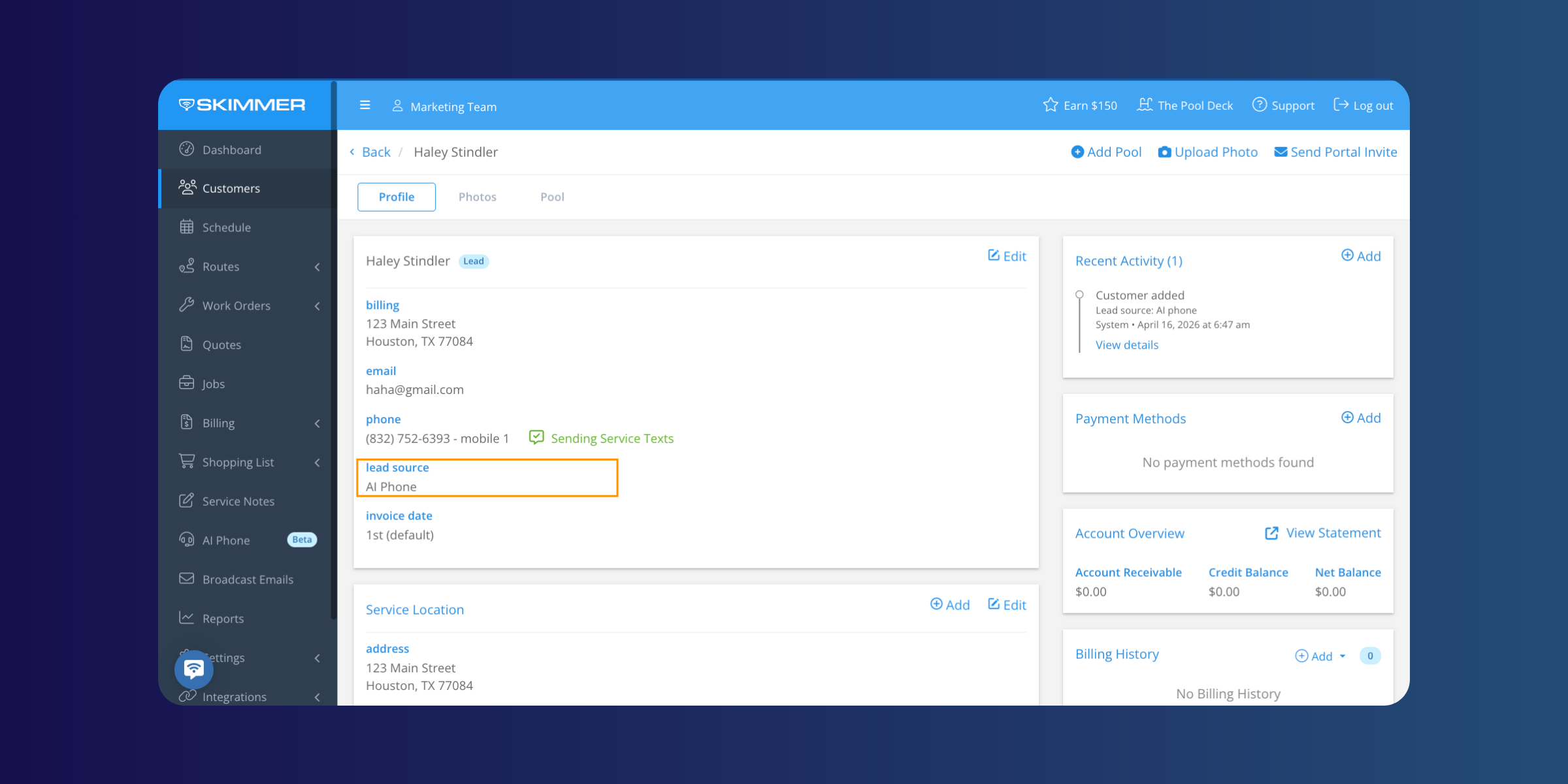
- AI Phone now automatically creates a lead source and assigns it to customers who come in through AI calls — making it easier to track channel performance. Account owners also now receive a confirmation email when AI Phone is deactivated.
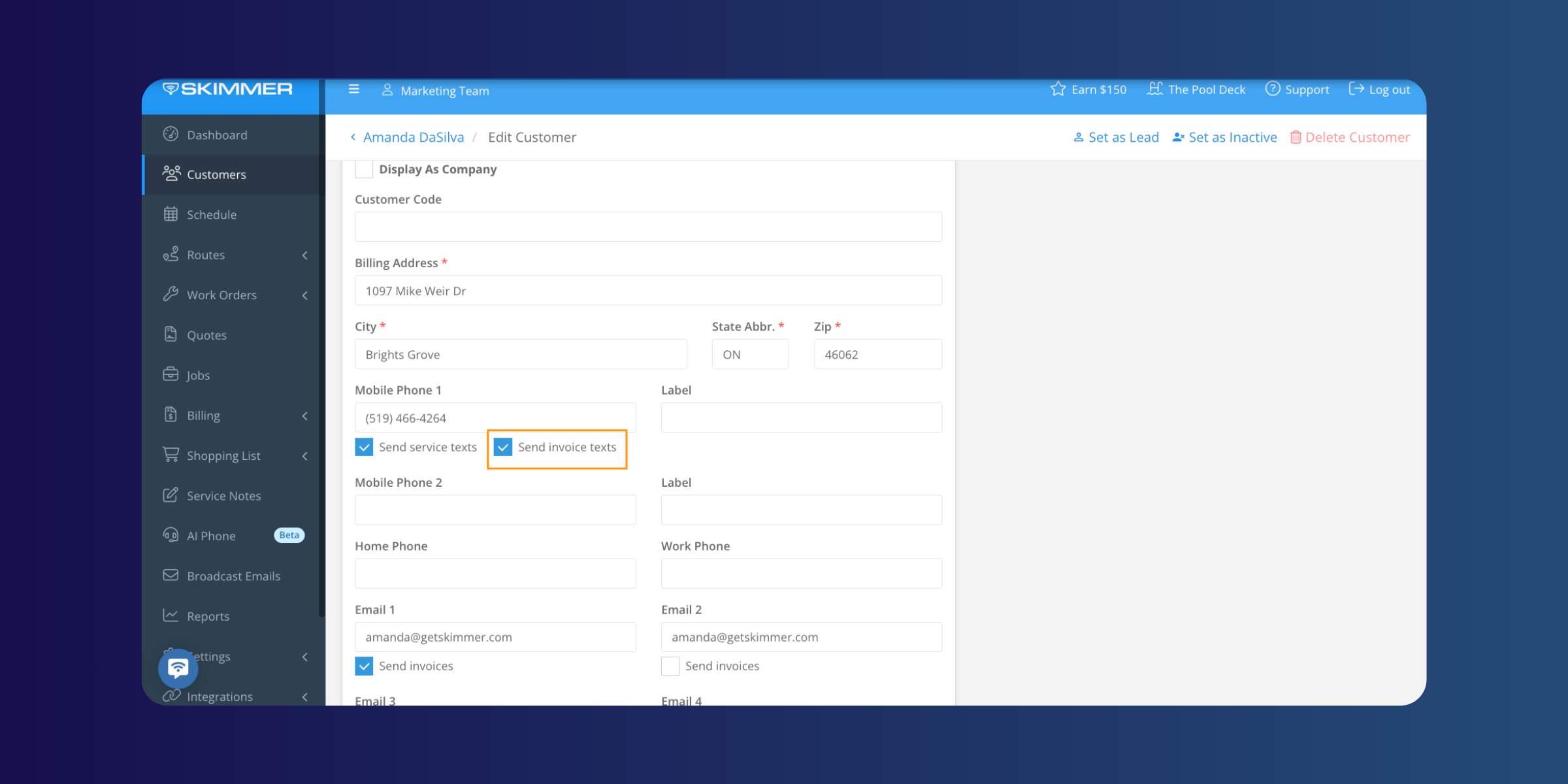
- Admins can turn off invoice text notifications for individual customers without changing the company-wide setting.
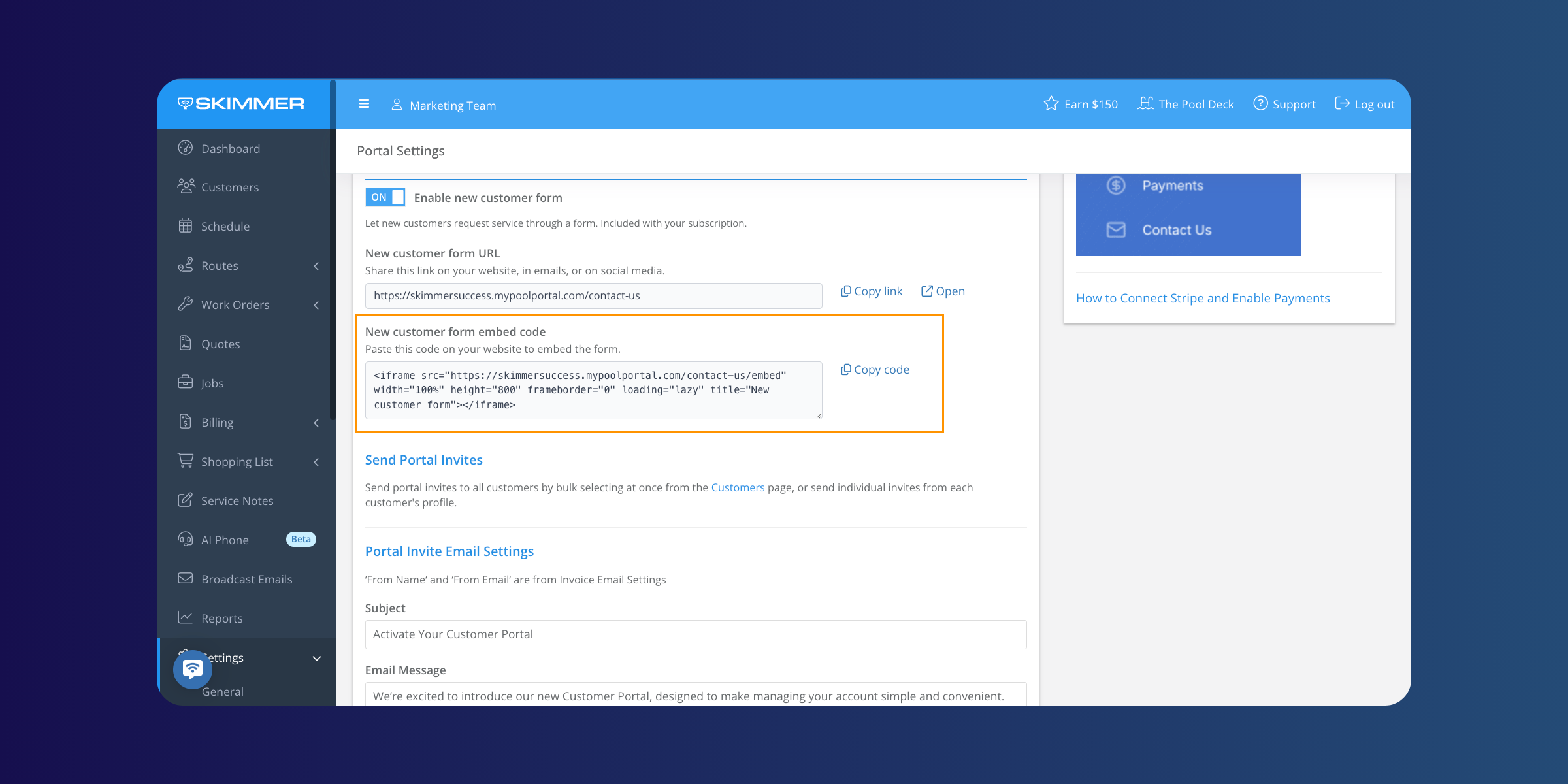
- The customer intake form can now be embedded on a website using a copy-paste embed code.
- The Payment Methods on File and Labor reports have been updated with a standardized design and better export options.
- The Public API invoice endpoints now include a Deleted field for cleaner integration handling.
Make sure your Skimmer mobile app is up to date to get the latest performance improvements.
[Update for iOS ] | [Update for Android ]
We’ll be back soon with more updates designed to make everyday work smoother, faster, and easier for our pool pros.
Interested in trying Skimmer? Get started on our Scaling Up plan– free for 30 days.


