


.png)
A lot of the friction pool service businesses deal with isn't dramatic — it's the slow accumulation of small gaps. A customer you can't find because you searched the wrong address. A tech who added a product you stopped stocking months ago. An issue in the field that didn't make it back to the office until days later. June's updates are aimed at closing those gaps: better visibility into what's happening across your routes, cleaner tools for managing your product catalog, and less manual work keeping customer and service data accurate.
Stay in the loop without waiting to hear about it
The biggest addition this month is alerts & issues — a two-part feature that gives office teams more visibility into what's happening on routes, and gives techs a structured way to report problems from the field.
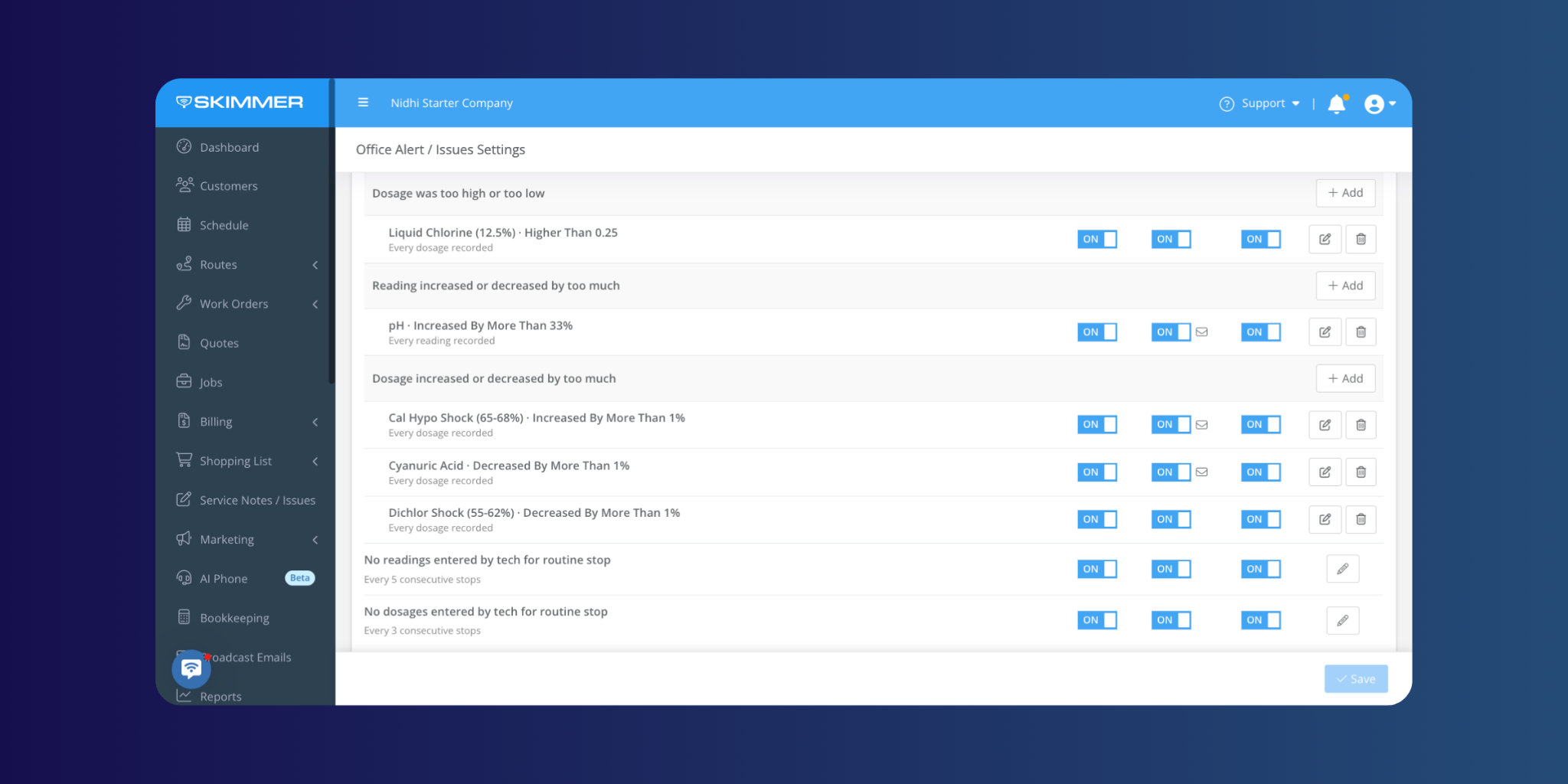
Office alerts let admins configure notifications across a wide range of triggers: chemistry readings outside set thresholds, missed service stops, overdue invoices, payment activity, work order status changes, and more. When something hits a threshold, the right person gets notified — and you can route specific alerts to specific email recipients, so billing alerts go to the office manager and chemistry flags go to the lead tech.
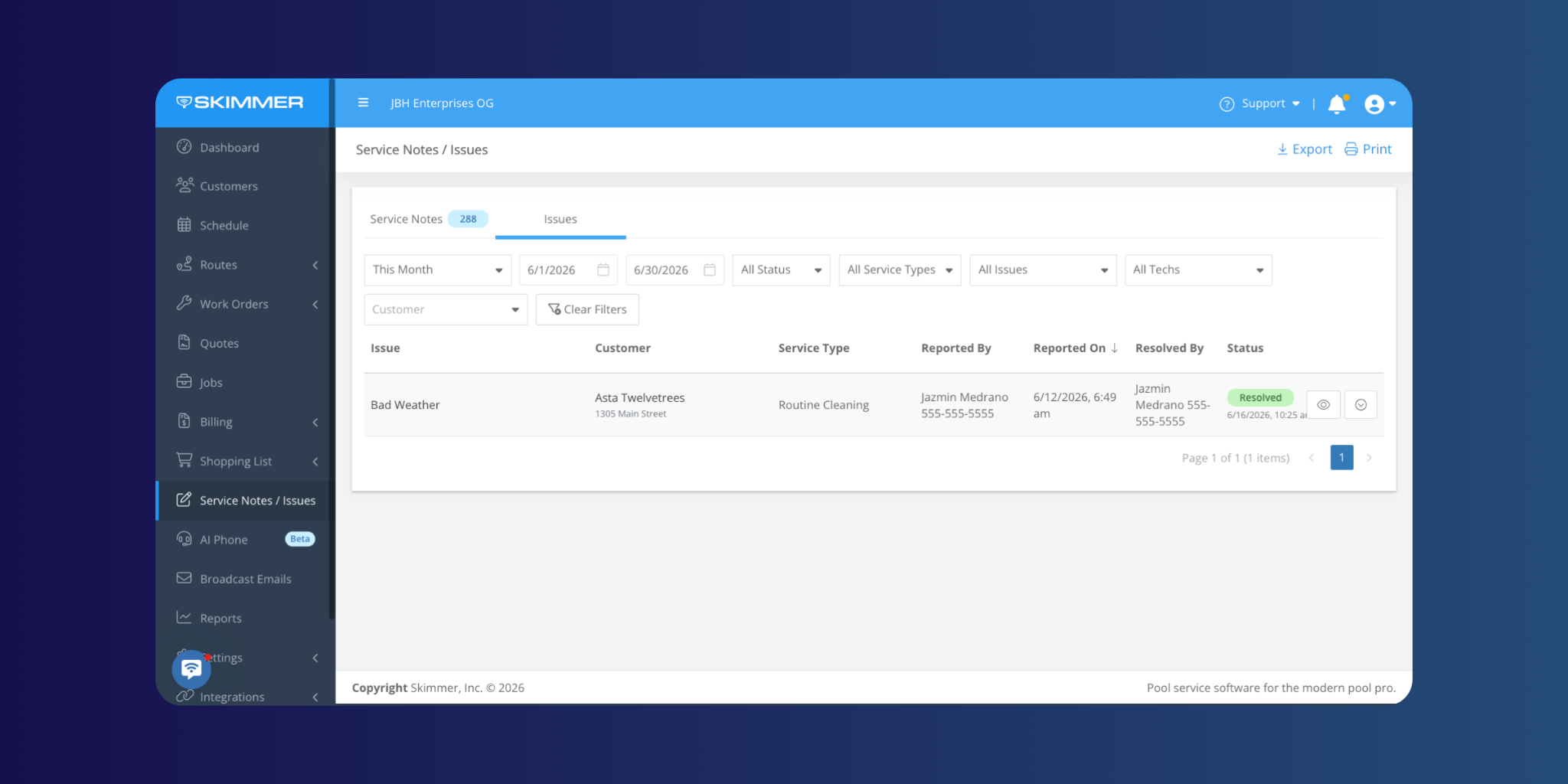
Issues work alongside alerts. Techs can log a problem from the mobile app — select a type, add a description, and attach up to 5 photos — and your office will see it in a dedicated Issues tab on the web. Every issue has an audit trail showing who reported it and who resolved it.
Read the full alerts & issues overview →
Fewer dead ends when looking up customers and managing products
Two smaller updates this month that remove friction from common workflows.
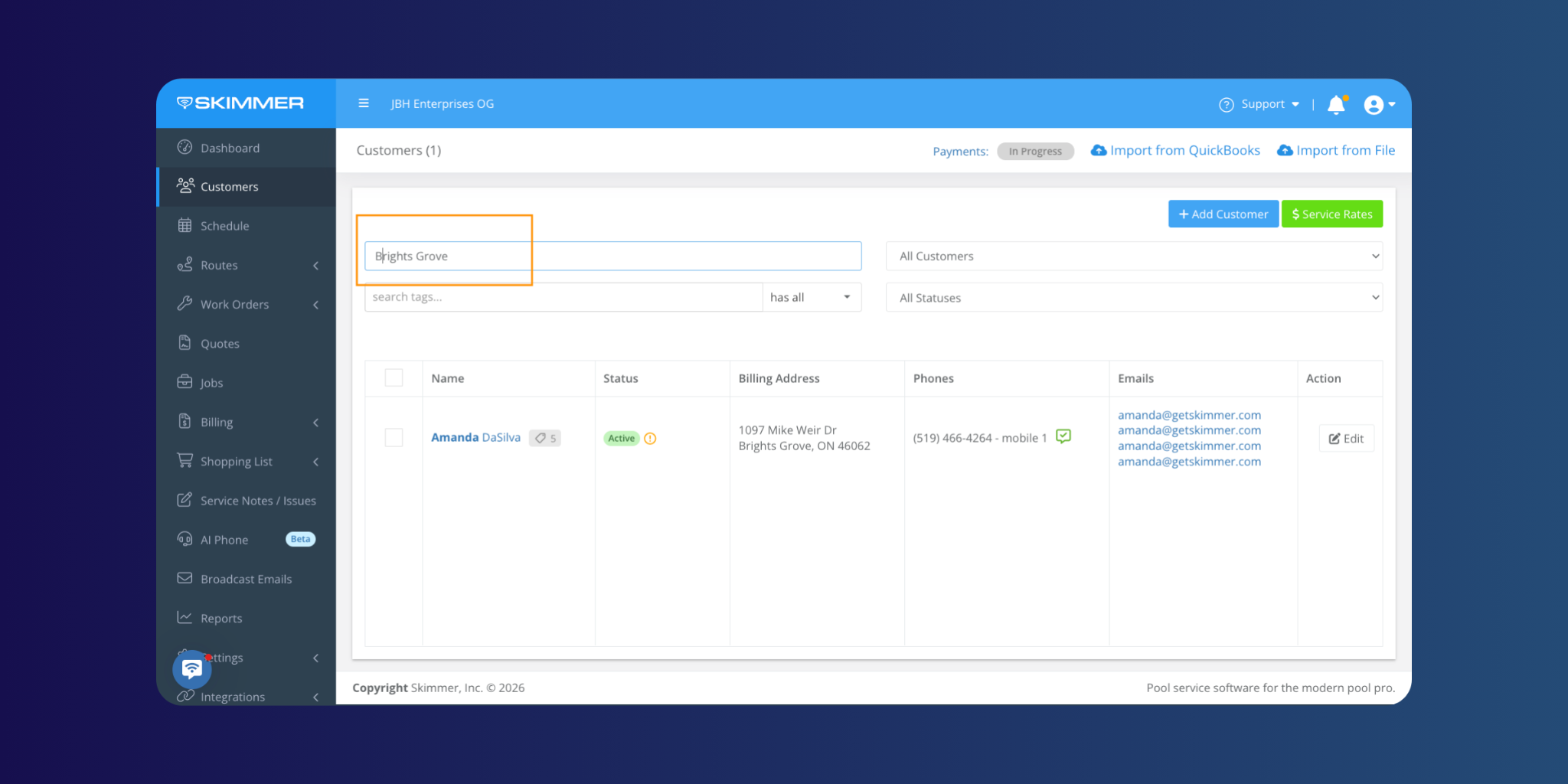
Customer search now returns matches against all service location addresses on an account, not just the billing address. It's a straightforward fix for a common problem: you know the pool address but not the account name, and the old search didn't help. Now it does.
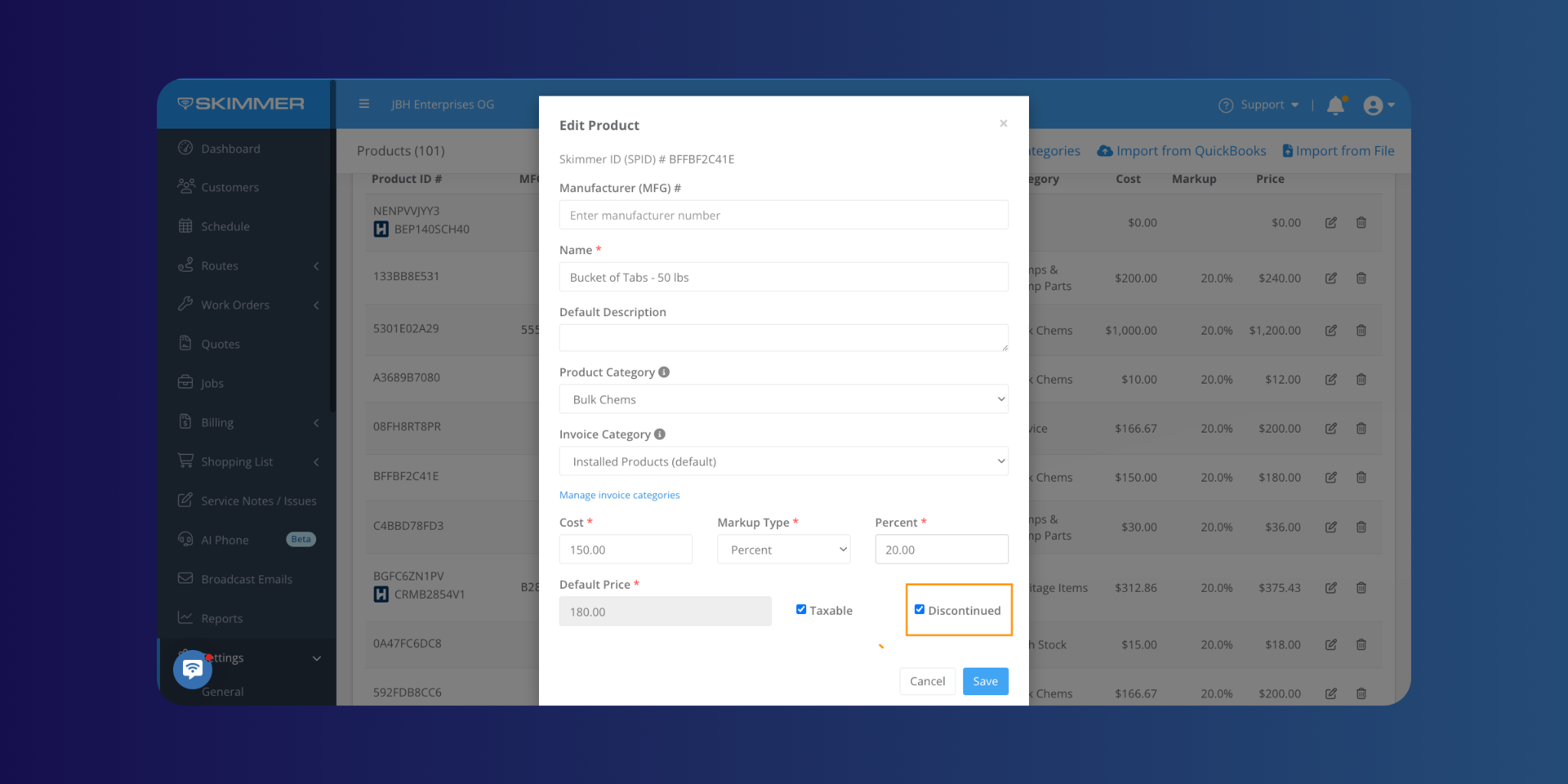
On the product side, you can now mark products as discontinued. Discontinued products stay visible on the Products page — so you don't lose the history — but they're automatically hidden from all mobile selection screens, including quotes, work orders, shopping lists, and service stops. Techs can only select from what's actually available, which means fewer back-and-forths to fix line items after the fact.
More control over how you track and manage service data
Two updates to help office teams keep service data organized at scale.
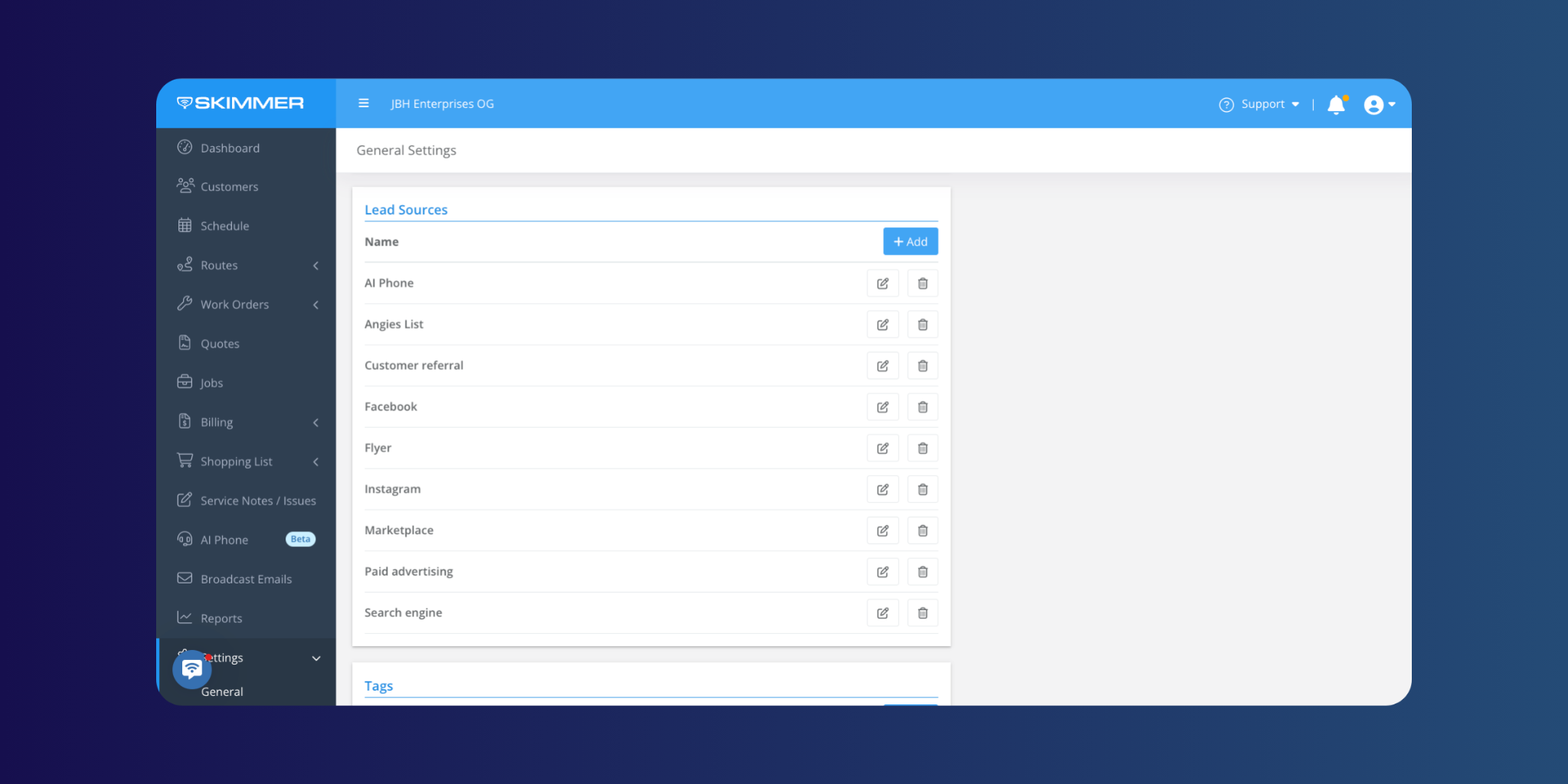
The lead source limit has been raised from 25 to 50, giving businesses with more complex marketing or referral tracking more room to work with inside Skimmer rather than outside it.
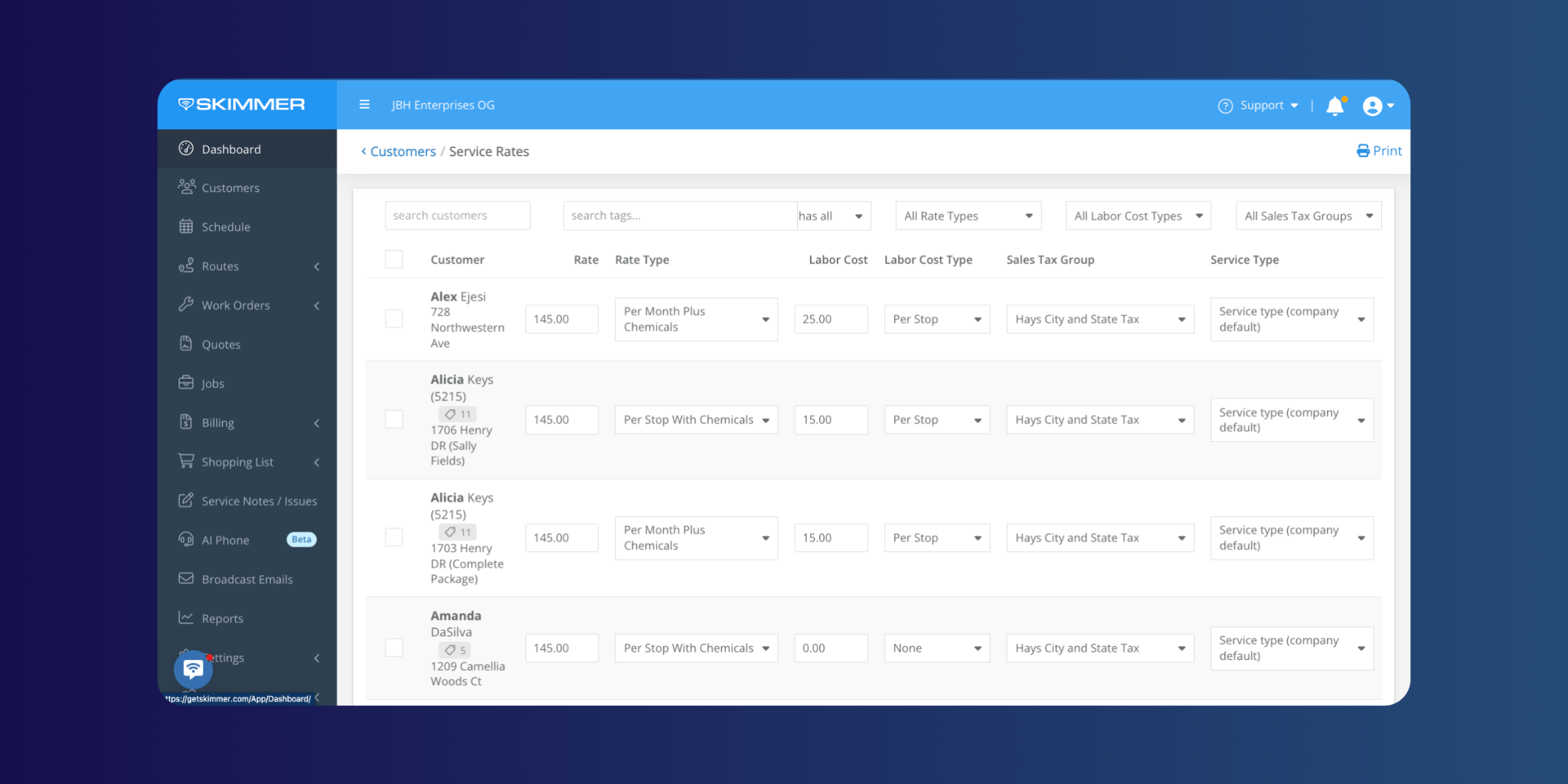
The service rates page now includes a Service Type column. You can update a location's service type directly from this page — either one at a time using the inline dropdown, or across multiple locations using bulk edit. Less clicking around to make updates that affect how service is tracked and priced.
June's updates reflect a pattern you'll keep seeing from us: more visibility for the office, cleaner workflows for the team, and fewer places where information gets stuck or lost. More to come next month.
Make sure your Skimmer mobile app is up to date to get the latest performance improvements.
[Update for iOS ] | [Update for Android ]
We’ll be back soon with more updates designed to make everyday work smoother, faster, and easier for our pool pros.
Interested in trying Skimmer? Get started on our Scaling Up plan– free for 30 days.


